What connecting does
PhysioKeys can plug into AI assistants as a connector, sometimes called an MCP server. Once you connect it with your PhysioKeys account, the assistant can:
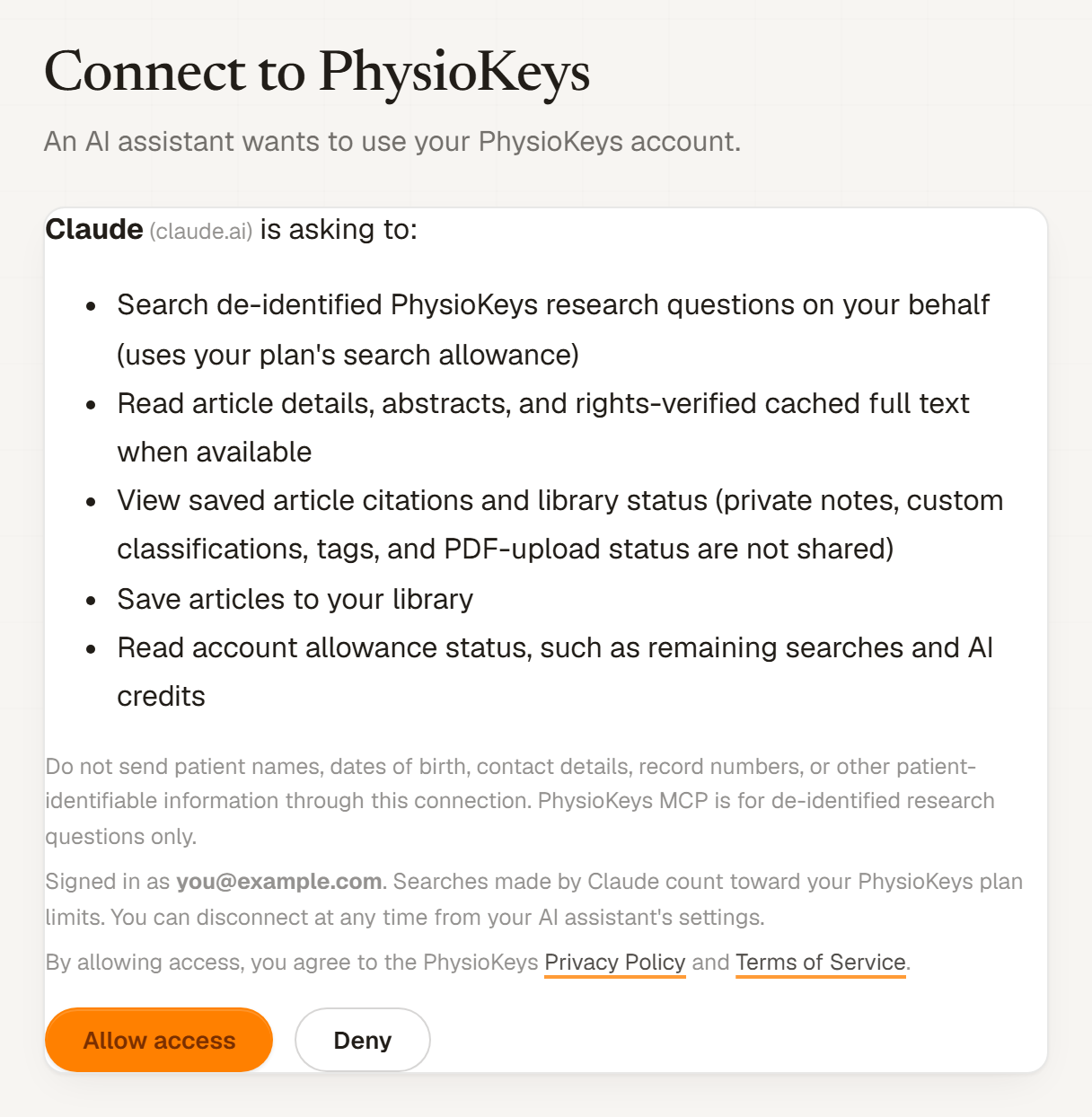
- Search de-identified PhysioKeys research questions on your behalf (uses your plan's search allowance).
- Read article details, abstracts, and rights-verified cached full text when available.
- View saved article citations and library status (private notes, custom classifications, tags, and PDF-upload status are not shared).
- Save articles to your library.
- Read account allowance status, such as remaining searches and AI credits.
The assistant still writes its own reply. PhysioKeys supplies the studies, abstracts and citations it works from, so you can ask it to cite PhysioKeys and then check each source yourself.
You need a PhysioKeys account. Any plan can connect. Claude and most other assistants ask for this address:
Connect Claude
These steps are for Claude on the web and in the desktop app.
- In Claude, go to .
- Select +, then Add custom connector.
- Name it PhysioKeys and paste the connector address above. Leave the advanced settings empty; PhysioKeys does not need a client ID or secret.
- Select Add, then follow Claude's prompt to connect. A PhysioKeys page opens.
- Sign in to PhysioKeys if asked, check what Claude is asking to do, and select Allow access.
- In a conversation, open and switch PhysioKeys on.
Claude's Free plan allows one custom connector. Claude's menus change from time to time; if a step does not match what you see, follow Anthropic's guide to custom connectors.
Connect ChatGPT
PhysioKeys is listed in ChatGPT's directory, so you connect it from there rather than pasting an address.
- In ChatGPT, open Plugins. Some accounts show Apps instead.
- Search for PhysioKeys and select it.
- Select Connect, or Install plugin if that is what you see.
- Sign in to PhysioKeys if asked, check what ChatGPT is asking to do, and select Allow access.
- In a conversation, type @PhysioKeys, or open and choose it.
What you can see depends on your ChatGPT plan, your region and, for work accounts, your administrator's settings. If PhysioKeys is not there, see OpenAI's guide to plugins and apps.
Claude Code and other assistants
Any assistant that supports remote MCP servers with sign-in can connect using the connector address. In Claude Code, run this in a terminal, then type /mcp in Claude Code to sign in:
claude mcp add --transport http physiokeys https://app.physiokeys.com/api/mcpTry it
Once connected, ask the assistant something like:
Find systematic reviews on exercise therapy for knee osteoarthritis.
Search PhysioKeys for stroke gait-training evidence and cite the most relevant article.
Show my saved PhysioKeys articles about Achilles tendinopathy.
Naming PhysioKeys in the request makes it more likely the assistant uses the connector rather than its general knowledge.
What stays private
Your private notes, tags, custom classifications and uploaded PDFs stay inside PhysioKeys. From your library, the assistant can see only which articles you have saved, their citation details and their library status.
What it costs
Each search the assistant runs uses one search from your PhysioKeys plan, exactly as searching in the app does. Reading an article, listing your saved articles and checking your allowance are free. Saving an article counts toward your saved-articles limit.
An assistant may run more than one search to answer a single question, so a long conversation can use several.
| Plan | Searches |
|---|---|
| Free | 300 in total |
| Student | 750 a month |
| Pro | 1,500 a month |
When your allowance runs out, the assistant is told you have reached your plan limit. See Pricing for more.
Disconnect
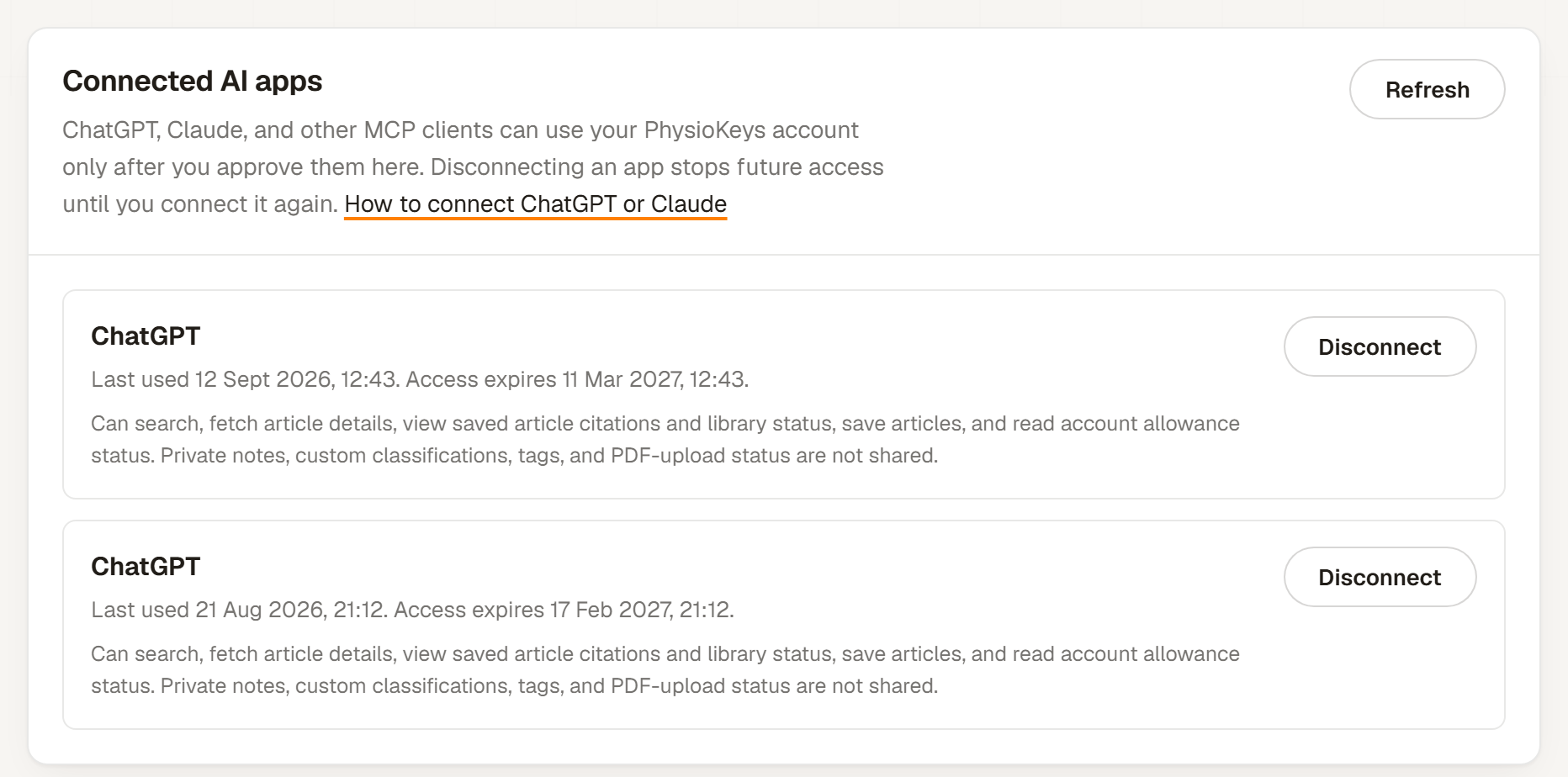
In PhysioKeys, go to Account › Connected apps and select Disconnect next to the assistant. It loses access until you connect it again. You can also remove PhysioKeys from the assistant's own settings.